Scheduling
A schedule your whole team sees on their phone
Build the week in Patrono and publish it. Each person gets an email with a link to their shifts, sees them in the browser on their phone, confirms them and asks for swaps. Shifts, swaps and time off sit on one week view, and the planned hours add up as you build the week.
The whole week at a glance
Morning, afternoon and night shifts for the whole team, with the planned hours of each day.
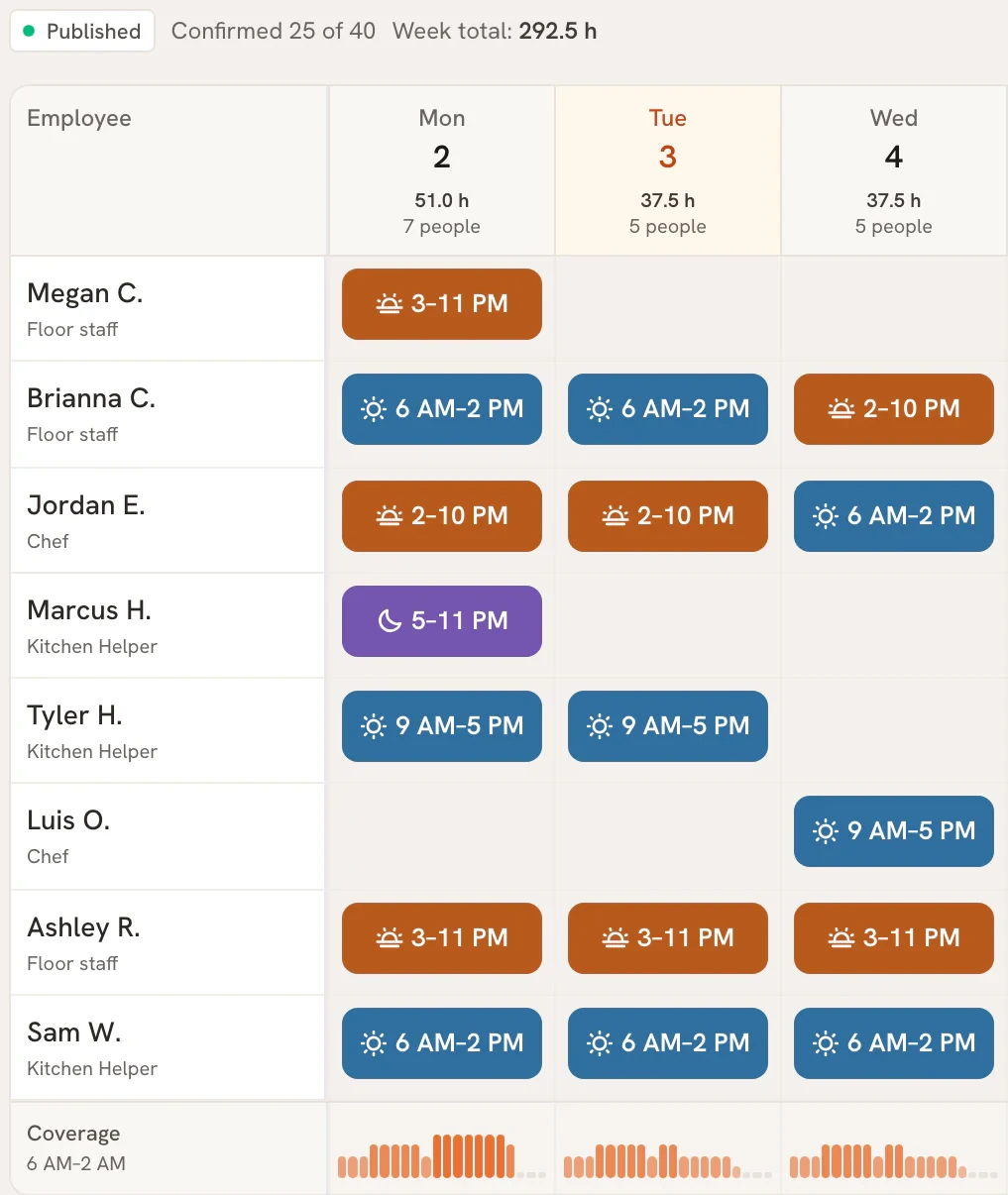
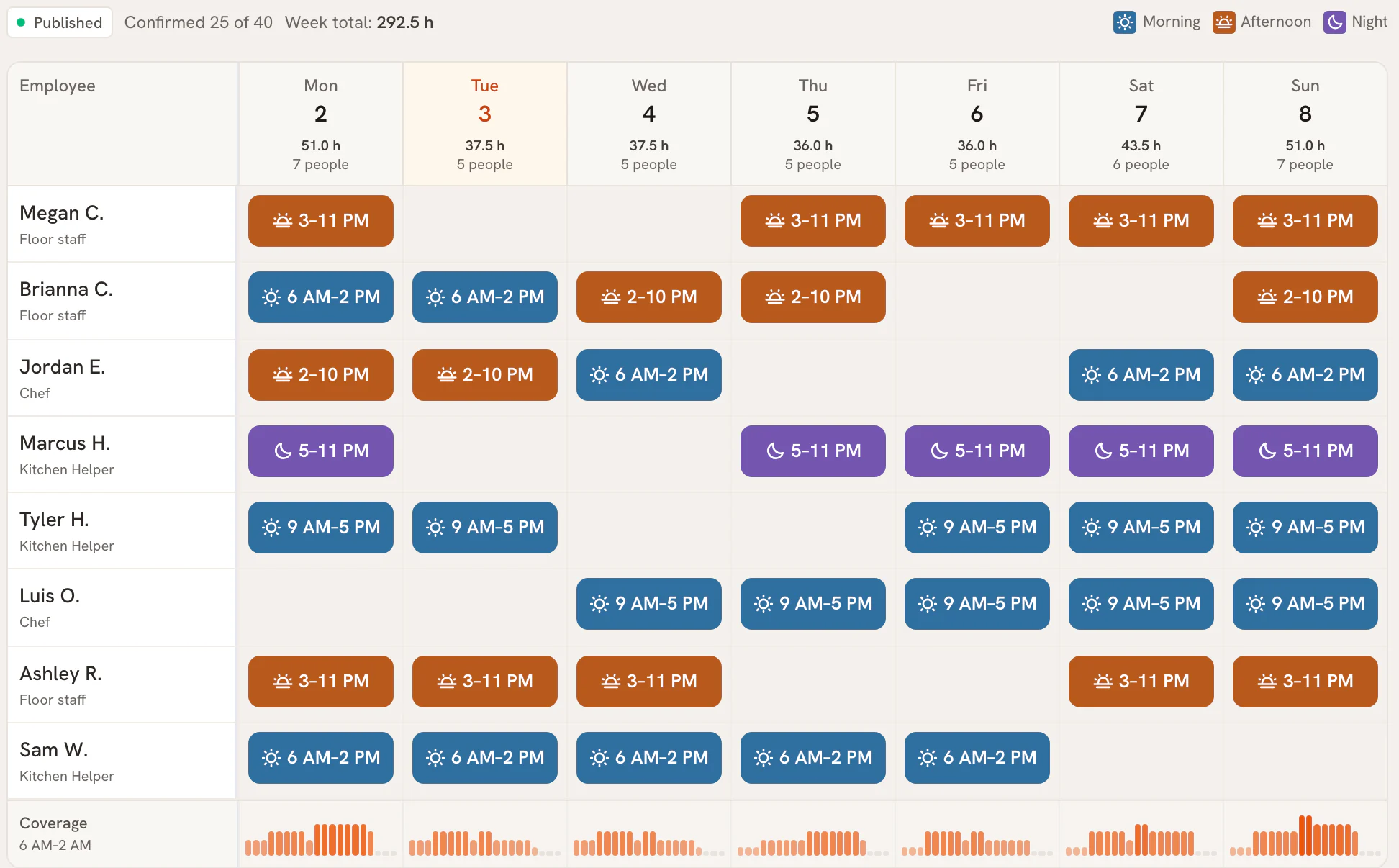
Stop texting the schedule. Publish it once.
A schedule sent as a photo to the group chat gets buried, and every swap is another round of texts. In Patrono the week lives in one place, and the changes happen there.
This is how a week runs:
- Build the week: who works which shift.
- Publish it. Each person gets an email with a link to their shifts.
- Staff confirm their shifts and ask for swaps or time off in the browser.
- An owner or manager approves or declines each swap.
Staff at two of your locations
A cook who works at two of your locations uses one login, and each location keeps its own week. Patrono for 3 to 5 locations.
How Patrono does it
Shift scheduling for a restaurant week
One week view
Shifts, swaps and time off on one week view, for the whole team.
Published by email
When you publish the week, each person gets an email with a link to their shifts.
Swaps without the group chat
Staff ask for a swap in the browser. Each request shows who asked, who would take the shift and its status, and Patrono records who decided.
Time off requests
Staff ask for time off in the browser, and the request sits on the week view where you plan.
Planned hours
The planned hours add up as you build the week, day by day.
One login, two locations
Staff who work at two of your locations use one login.
Scheduling is included at every location, with Food Safety and Food Cost, at one price per location.
Questions about restaurant scheduling
How do staff get the schedule?
When you publish the week, each person gets an email with a link to their shifts. They see them in the browser on their phone, confirm them and ask for swaps.
Can staff swap shifts?
Yes. A staff member asks for a swap in the browser. The request shows who asked, who would take the shift and its status, and an owner or manager approves or declines it. Patrono records who decided.
Can staff ask for time off?
Yes. Staff ask for time off in the browser, and the request shows on the week view where you plan the schedule.
Does it work for staff at more than one location?
Yes. Staff who work at two of your locations use one login.
Do staff need to install an app?
No. Patrono runs in the browser on any phone, tablet or computer, so there is no new hardware to buy. Staff use it the same way for their shifts, swaps and time off.
What does Patrono cost?
$149 per location per month, or $119 a month billed annually ($1,428 a year), with every module. Prices in USD, plus applicable sales tax, and no setup fee. Start with 14 days. $0 today, cancel before day 15 and nothing is charged. For 6 or more, you can stay at the same price per location: sign up with 5 and add the rest in Settings. Or pick Enterprise, from $179 per location a month on an annual contract, with an account manager, setup at every location, a monthly review and an SLA. Email us at support@getpatrono.com to ask about it.
Get started with Patrono
Start with 14 days. $0 today, cancel before day 15 and nothing is charged.